Last updated: October 18, 2026
Published October 18, 2026 · Updated October 18, 2026
For locksmith in Miami Brickell access control work in a multi-tenant office, the strongest answer is split, role-scoped log access. The property manager sees entry logs for shared doors, and each tenant’s named admin sees only its own suite doors. The two alternatives, landlord-only and tenant-only log access, each leave one group exposed. No tenant should ever be able to read another tenant’s badge history.
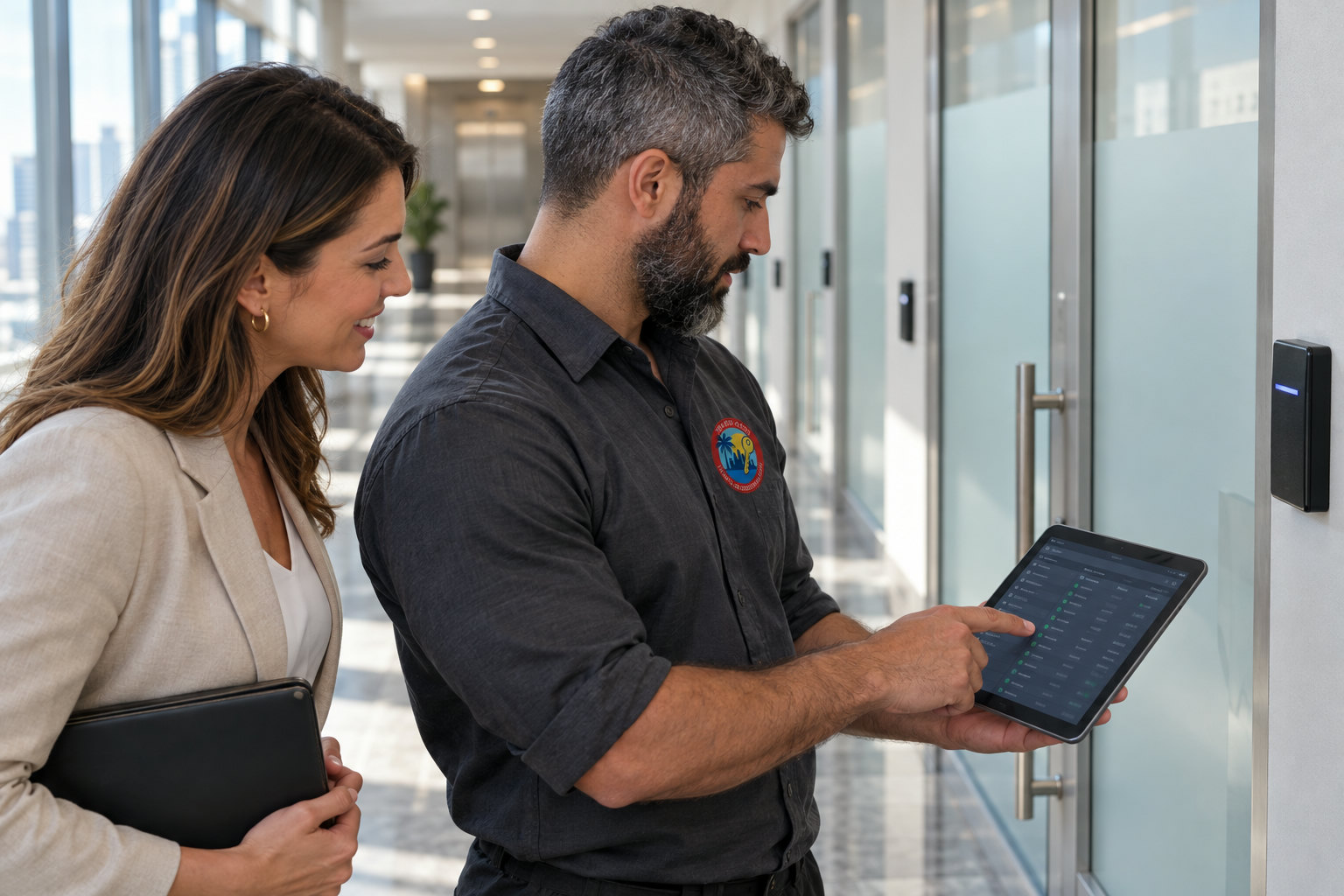
Many building rules assume that whoever owns the system also owns the data. Security guidance says something different. Only the people who need a record should be able to read it, and NIST calls this principle least privilege. If you’re an office manager in a shared tower and your landlord has just asked for full admin rights over your suite reader, the comparison below is written for you.
- Split, role-scoped log access is the strongest default for a multi-tenant office. The property manager reads shared-door logs, and each tenant’s named admin reads only its own suite doors.
- No tenant should see another tenant’s entry records. That follows the least-privilege control NIST lists as AC-6 in Special Publication 800-53.
- Florida Statute 501.171 requires businesses to take reasonable measures to protect electronic personal information. It also requires notice to affected individuals within 30 days of a qualifying breach.
- A mechanical key override on a Schlage, Yale or ASSA Abloy electronic lock cannot tell the log whose key turned the cylinder. Restricted keyways from Medeco or Mul-T-Lock close part of that gap.
- Offboarding should remove both the person’s card and any admin role on the same day. It should also trigger a rekey of mechanical override cylinders when keys were issued.
Locksmith in Miami Brickell Access Control: Three Ways to Assign Log Rights
There are three common models for entry-log permissions in a multi-tenant office: landlord-only, tenant-only and split (role-scoped) access. Each model answers two questions. Who can read the records from shared doors, and who can read the records from suite doors?
Brickell is Miami’s financial district, and most of its office space sits in high-rise towers where one lobby, one garage and one elevator bank serve many unrelated companies. In that setting, log permissions matter more than they do in a single-tenant building. One over-broad admin account can expose the daily movements of hundreds of people who never agreed to share them.
| Attribute | Landlord-only | Tenant-only | Split (role-scoped) |
|---|---|---|---|
| Shared-door logs (lobby, garage, elevators) | Property manager reads all | Run on a separate building system the tenant cannot see | Property manager only |
| Suite-door logs | Property manager reads all | Tenant admin only | Tenant’s named admin only |
| Tenant privacy | Weak: building staff see every employee arrival | Strong inside the suite | Strong at both levels |
| Incident response | Fast for building events, slow for tenant questions | Fast in the suite, blind at the lobby | Each owner pulls its own report the same day |
| Offboarding risk | Tenant must ask management for every change | Lobby credential can stay live after suite access is cut | Lowest when the lease names who revokes what |
| Setup effort | Lowest: one admin login | Moderate: two systems or two credentials | Highest up front: roles, door groups, written policy |
| Best fit | Small buildings with few tenants and no sensitive records | Law, medical or finance tenants with their own compliance rules | Most multi-tenant office towers |
Cost is not a column here because it depends on door count, existing wiring and the platform chosen. For a quote on any of the three models, contact the business directly. No one should guess a figure from a blog post.
Should the landlord control every entry log?
Landlord-only log access works for small buildings, but it gives building staff more visibility than most tenants should accept. In this model, the management office holds the only administrator login on a single platform. That one login covers the lobby reader, the garage, the elevators and every suite door.
The strengths are real. There is one audit trail, one vendor and one place to look after a break-in or a forced-door alarm. Setup is quick, and the building can investigate an after-hours event without waiting on anyone.
The weaknesses fall on tenants. A suite-door log shows when each employee arrives, leaves and comes back on a weekend, and that is HR information. For a law firm, a medical practice or a wealth manager, it can also hint at client meetings. Every new hire in the management office adds another person who can read it.
Offboarding gets slow too. A tenant that fires someone at 5 p.m. has to reach building management to cut the card, and that request may wait until morning. That delay is the problem. Landlord-only access fits a small building with a handful of tenants, none of them handling sensitive records.
Should each tenant manage its own entry logs?
Tenant-only log access gives a tenant full privacy inside its suite, but it creates blind spots at the shared doors. In this model, the tenant installs its own suite system, often a Schlage wireless lock or a card reader driving an electric strike. The building’s lobby and garage system runs separately.
The strength is control. The tenant’s office manager adds and removes people instantly, decides retention and answers internal questions without involving anyone else. For firms with their own compliance obligations, that independence can be a requirement.
The weaknesses are practical. Staff carry two credentials, a building card and a suite fob, and the building card often outlives the job. If the tenant cuts suite access but nobody tells management, the former employee can still ride the elevator to the floor. The building also cannot see a forced suite door, and most leases still require a management override for fire and emergency access.
Hardware choices matter here. The choice between a maglock and an electric strike changes how the suite door behaves during a power loss. The maglock vs electric strike comparison for multi-tenant offices covers that decision in detail.
Why does split, role-scoped log access work best?
Split, role-scoped log access works best because each party reads only the doors it is responsible for, on one shared platform. The property manager role covers the lobby, garage, elevators, stairwells and common restrooms. Each tenant admin role covers only that tenant’s suite doors.
This mirrors the least-privilege control (AC-6) in NIST Special Publication 800-53, which limits access to what each role needs. Staff carry one credential. A single deactivation can remove someone from both the lobby and the suite, provided the lease or building policy says who presses the button.
The weaknesses are setup and platform choice. Many cloud-managed platforms let an administrator create roles limited to specific doors or sites. Some entry-level systems offer only one all-access admin, so confirm scoped roles before buying. The comparison of cloud-managed access control and a standalone Schlage Encode Plus across multiple doors shows why standalone smart locks rarely support this split.
Any locksmith in Miami access control work that sets up a split model should leave behind a written door map: every door, its owner and the role that reads it. Without that map, roles drift within a year. With it, the model holds.
Split access gives the property manager the shared doors and each tenant its own suite doors, with nobody reading a neighbor’s records. It requires a platform with door-scoped admin roles and a written door map. It applies NIST’s AC-6 least-privilege control to a real office tower.
Which doors in an office tower actually create entry logs?
In a multi-tenant office tower, entry logs come from every electrified opening, not just the front door. Before anyone argues about who reads the logs, list every device that writes them. A typical tower includes most of these:
- Lobby readers or turnstiles: shared door, owned by the building.
- Garage entry: often a LiftMaster gate operator triggered by a reader or a telephone-entry panel, which may keep its own separate log.
- Elevator readers: shared equipment, but the floor selected reveals which tenant a person visited.
- Stairwell re-entry doors: shared, and critical during fire drills.
- Suite entry doors: tenant-owned, usually a card reader with an electric strike, a maglock or an electrified mortise lock.
- Interior tenant doors: server closets, file rooms and executive offices, tenant-owned and the most sensitive.
- Mail and loading rooms: shared, often touched by outside couriers.
The elevator row is easy to miss. Even if the building never sees suite-door logs, elevator floor-selection records can show who visited which tenant and when. A split model should treat those records as shared-door data with tight read access, not as open building data.
What do card reader entry logs miss?
Card reader entry logs record credentials, not people, so they miss three things that matter in a dispute. First, tailgating: one badge swipe can admit three people. Second, shared cards: a receptionist’s card lent for a delivery shows up under the receptionist’s name.
Third, and least understood, is the mechanical key override. Most electronic locks from Schlage, Yale and ASSA Abloy keep a key cylinder for emergencies and power loss. A turned key cannot tell the system whose key it was. Whoever holds an override key can enter without leaving a name in the log.
The log is only as complete as the key control behind it. Restricted keyways such as Medeco or Mul-T-Lock limit who can get override keys duplicated. A common mistake is skipping a rekey after an employee leaves or a tenant moves out, which leaves a security gap and liability exposure that no amount of log access fixes. The comparison of Schlage AD Series, Yale AU Series and Mul-T-Lock Interactive mortise cylinders for office master key systems explains how those cylinders fit under an electronic system.
How do you set up role-based log permissions in a shared office?
Role-based log permissions are set up in six steps: map the doors, group them, assign roles, limit exports, write the offboarding rule and review the admin list. The order matters. Roles assigned before the door map exists almost always end up too broad.
Map every door to one owner
List each reader, lock and gate, then write the building or the specific tenant beside it. Elevators and garage gates get flagged as shared but sensitive.
Create door groups in the platform
Build one group for common areas and one group per tenant. Roles attach to groups, never to the whole site.
Assign named roles, not shared logins
Give the property manager the common-area group and each tenant’s chosen admin its own suite group. A shared “frontdesk” login defeats the audit trail.
Limit exports and set retention in writing
Restrict CSV or report exports to admins, and write down how long logs are kept. The exact period is a lease and legal decision, but it must exist on paper.
Write the offboarding rule
Same-day card deactivation, same-day admin role removal and a rekey of override cylinders when keys were issued. For short-term vendors, use scheduled credentials like those in the guide to temporary contractor access without changing the lock code.
Review the admin list every quarter
Compare admin accounts against current staff at both the building and each tenant. Remove anyone who changed roles.
One hardware note applies when a tenant adds a smart lock to a suite door during this process. A common mistake is assuming every smart lock fits the existing deadbolt holes. Many need new drilling, so confirm the door prep before ordering.
When to choose which log-access model
The right log-access model depends on building size, tenant sensitivity and whether the existing platform supports door-scoped roles. Match your building to one of the three profiles below.
- Landlord-only wins in a small building with few tenants, no medical, legal or financial records, and one management office that already answers every access request.
- Tenant-only wins when a tenant has its own compliance program, such as a medical practice or law firm, and is willing to manage a second credential and coordinate offboarding with the building.
- Split, role-scoped wins in most multi-tenant office towers, especially those with a shared garage, elevator readers and more tenants than the management office can track by memory.
For a property manager juggling a lobby, a garage ramp and a steady stream of tenant move-ins, the split model also reduces the request load. Tenants handle their own staff changes, and management handles only the shared doors.
Our Verdict
Split, role-scoped log access is the recommended default for a multi-tenant office. It is the only one of the three models that gives the building what it needs at shared doors while keeping each tenant’s staff records private. It costs more setup time, and that time is worth spending.
For an office manager negotiating with a landlord, ask for three things: a suite door group, a named tenant admin role and written confirmation that building staff cannot read suite-door logs. For a property manager, insist on the reverse. Tenants should not see lobby, garage or elevator logs beyond their own employees’ credentials.
Landlord-only access still makes sense in a small building with low-sensitivity tenants. Tenant-only access makes sense for a firm whose regulators expect it to control its own records. Neither is wrong. Each fits a narrower building than the split model.
Our view
This section is opinion. Building owners and tenants tend to overweigh the brand of the reader and underweigh the permission design behind it. A premium reader with one all-access admin login is less private than a modest reader on a platform with door-scoped roles.
What matters most is boring paperwork: the door map, the named admin list, the export rule and the offboarding rule. A locksmith in Miami access control project that skips those documents is installing hardware, not a system.
The second thing people underweigh is the mechanical key. Every override cylinder is a door the log cannot fully account for. Rekeying after turnover and choosing a restricted keyway do as much for log integrity as any software setting.
Frequently asked questions
Can a landlord see a tenant’s card reader entry logs?
A landlord can see tenant entry logs whenever the building’s platform gives the management office an all-access admin role. That access is a configuration choice, not a technical requirement. Most cloud-managed platforms can restrict building staff to shared doors, so ask for that restriction in writing at lease signing or renewal.
How long should a multi-tenant office keep entry logs?
Entry log retention in a multi-tenant office is usually set by the building’s written policy, the lease and each tenant’s legal or HR advice, not by a door-specific rule. Pick one period, write it down and review it once a year. Logs kept longer than needed widen the exposure if an admin account is ever compromised.
Does Florida law treat entry logs as protected personal information?
Whether Florida law protects entry logs depends on what they are linked to. Florida Statute 501.171 defines personal information by a specific list of data elements and requires reasonable protective measures, plus notice to affected individuals within 30 days of a qualifying breach. Ask counsel whether your logs, combined with the employee or visitor data in the same platform, fall under that definition.
What happens to log access when an employee or tenant leaves?
When an employee or tenant leaves, their card and any admin role should be removed on the same day. If they held mechanical override keys for a Schlage, Yale or ASSA Abloy lock, rekey those cylinders too. A departed admin who can still read logs is a privacy gap even after their badge stops working.
If your building in Brickell needs door groups mapped, tenant admin roles set up or override cylinders rekeyed after turnover, call I Need Locksmith Miami at (786) 813-0495. Service is 24/7 and mobile across Miami-Dade. Ask for pricing on your specific door count and platform.
Sources
- Least-privilege principle (control AC-6) behind role-scoped log access: NIST Special Publication 800-53 Revision 5
- Florida’s reasonable-measures duty and 30-day breach notice requirement: The Florida Senate, Florida Statutes Section 501.171
- Guidance on limiting access to sensitive data and restricting administrative access: Federal Trade Commission, Start with Security
- Service area, 24/7 mobile service and phone number: I Need Locksmith Miami
I Need Locksmith Miami
I Need Locksmith Miami is a Miami-Dade locksmith and door specialist serving residential, commercial, and automotive customers.
 Listen to this articleAudio version
- A Hialeah Office Manager Asked: “Will Our Multi Tenant Door Unlock During a Power Outage?” What Maglock and Electric Strike Wiring Means for Access Control
- A Doral Condo Manager Asked: “How Long Does It Take to Install a Card-Reader Access System for 40 Units?” — A Tech’s Honest Timeline
- A Medley Office Manager Asked a Commercial Locksmith in Miami: “What Type of Lock Is Best for a Multi-Tenant Office When Tenants Keep Copying Shared Keys?”
- A Bay Harbor Islands Property Manager Asked: ‘Can a Locksmith in Miami Install a Biometric Reader on an Existing Commercial Door Frame?’, A Tech’s Direct Answer
- A Key Biscayne Homeowner Asked: “Can a Mobile Locksmith Program a Tesla Model Y Key Card Without Going to the Dealership?”





One Response